Scheduled Vendor Payments from Tally: A Guide | WisiPay
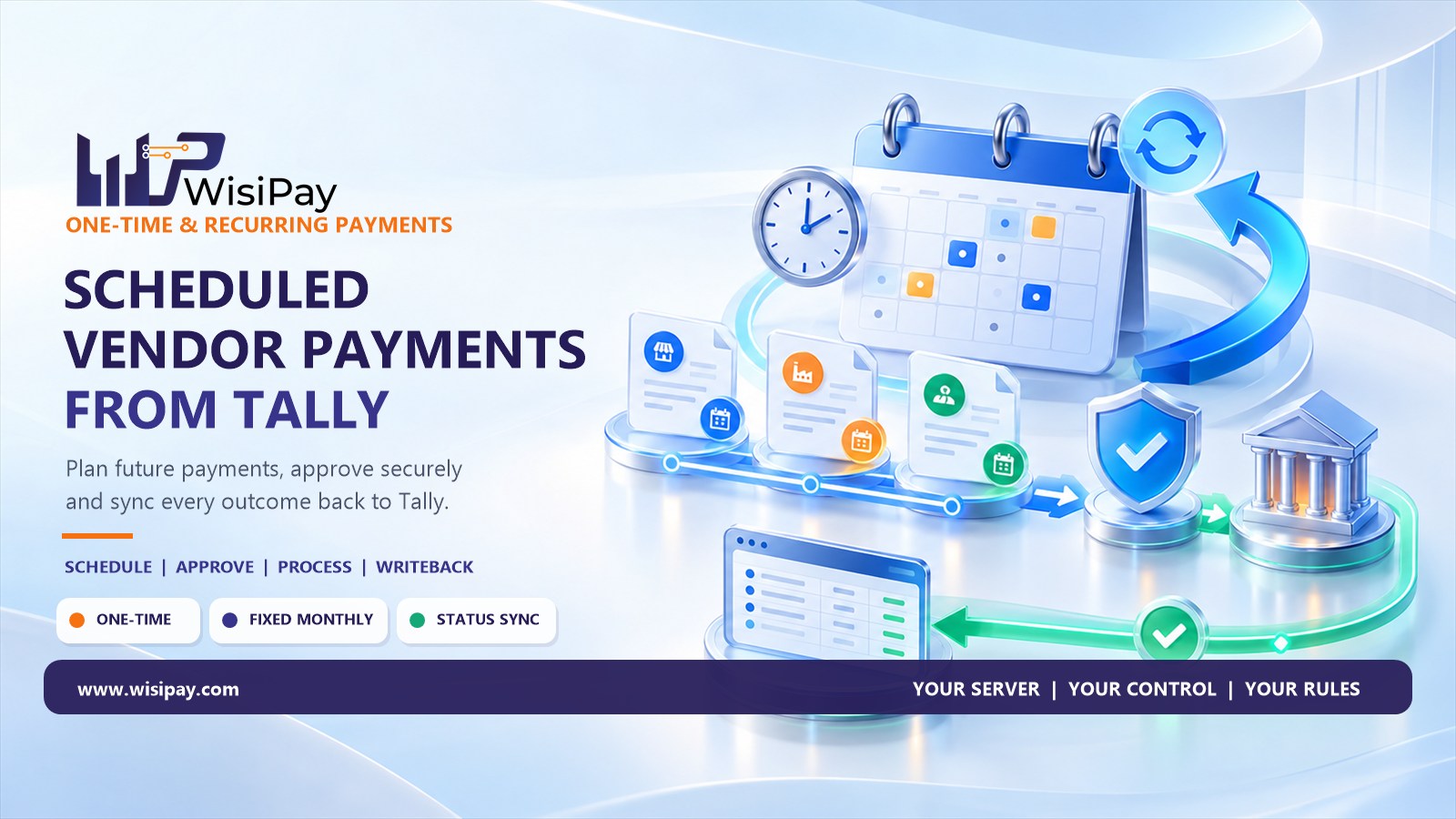
Scheduled vendor payments from Tally connect a prepared payment instruction with a future processing date, the required approval and an accounting update after payment. Recurring payments add a repeat cycle, such as a fixed monthly supplier payment.
The important distinction is between remembering a due date and executing a payment. A calendar reminder, a future-dated accounting entry and an instruction scheduled with a payment service are different things. Your team should know which part of the process its Tally integration actually handles.
This guide explains how to organise scheduled and recurring payments, what to check before release and how to handle exceptions without losing track of the original bill.
Scheduled vs Recurring Payments: What Is the Difference?
A scheduled payment is prepared for a specific future date. A recurring payment follows a repeat arrangement. The amount may be fixed, or it may need to be reviewed for each billing period.
| Payment type | Example | Main check |
|---|---|---|
| One-time scheduled payment | A supplier invoice planned for an agreed date | Confirm the bill, amount, beneficiary and release date |
| Fixed recurring payment | A monthly service retainer with an agreed fixed amount | Check that the agreement remains active and the amount is still valid |
| Variable recurring payment | A monthly supplier bill based on actual usage | Review the new invoice and payable amount for each cycle |
A supplier sending an invoice every month does not automatically make the amount suitable for a fixed monthly instruction. Separate predictable obligations from bills that change.
1. Choose Which Vendor Payments to Schedule
Start with a small group of payments that have clear supporting records and predictable timing. Examples might include an established service contract, office maintenance or a supplier bill with an agreed future payment date.
Before including a payment, confirm:
- The obligation is valid and the supporting bill or agreement is available.
- The vendor and beneficiary details have been reviewed.
- The proposed payment date matches the agreed terms.
- The amount is final, or a review step will establish it before release.
- The business has assigned an approver and an exception owner.
Keep disputed invoices, unverified bank changes and unclear adjustments outside routine scheduling until the underlying issue is resolved.
2. Create a Complete Payment Schedule Record
A useful schedule needs more than a vendor name and date. It should connect the planned payment to its accounting references and explain when the arrangement stops.
| Field | Why it matters |
|---|---|
| Company and vendor reference | Links the instruction to the correct business and supplier |
| Invoice or agreement reference | Explains the obligation being paid |
| Amount or amount-review rule | Distinguishes fixed payments from bills requiring a fresh calculation |
| Beneficiary reference | Identifies the reviewed payment destination |
| Processing date and time zone | Clarifies when the instruction is intended to be submitted |
| Frequency and end condition | Prevents an arrangement from continuing without a defined review or stopping point |
| Approval requirement | Defines who must authorise the payment before release |
| Schedule and payment references | Connects each occurrence to the recurring arrangement and its individual outcome |
Confirm which fields your connector supports directly. Where a control is managed outside the integration, document how the team maintains and reviews it.
3. Decide How Approval Works Before Release
Scheduling determines timing. Approval establishes whether the payment is authorised.
Document whether each payment needs a fresh review or whether your system and policy support a defined recurring authorisation. Specify its scope, validity and the changes that require another decision.
In particular, decide what happens when:
- The amount changes.
- The vendor requests a different beneficiary account.
- The next payment date is moved forward.
- An invoice is disputed or a service agreement ends.
- The usual approver is unavailable.
An instruction that is still awaiting required approval should remain blocked from release. If the scheduled time passes, route it for review rather than silently changing the approval requirement.
4. Distinguish the Processing Date from the Receipt Date
A scheduled processing date is not necessarily a promise that the vendor will receive funds at that exact time. Actual timing depends on the payment method, provider, bank availability and any applicable processing windows.
Ask your payment partner how it handles non-processing days, missed execution windows and delayed submissions. Confirm whether a schedule runs at a particular time and which time zone it uses.
Assign responsibility for reviewing upcoming outflows and available funds. If funding or another prerequisite is missing, the workflow should make the exception visible and identify who needs to act.
Avoid using a scheduler as the only record of cash commitments. The finance team should be able to distinguish planned, approved, submitted and completed payments.
5. Control Changes, Pauses and Cancellations
Recurring vendor payments need an ongoing review process. Contracts expire, services stop and supplier account details change.
Define who can edit, pause or cancel a schedule. Record the reason, effective date and person making the change. Significant changes should receive the appropriate review before another payment is released.
Also distinguish cancelling a future schedule from cancelling a payment already submitted. Removing tomorrow’s instruction does not establish that an earlier transfer has been stopped.
Before confirming a cancellation to a vendor, check the individual payment’s current status and the provider’s available cancellation process.
6. Give Failed and Uncertain Payments a Separate Workflow
A schedule may run without producing a completed payment. Approval can be missing, an integration can be unavailable, or the provider can return an unresolved outcome.
| Exception | Recommended next action |
|---|---|
| Approval is incomplete at the planned release time | Keep the payment blocked and notify the responsible approver |
| The payment partner confirms failure | Review the reason and establish whether a corrected retry needs fresh approval |
| The request times out | Check the original transaction status before creating another instruction |
| Payment succeeds but Tally is not updated | Investigate the accounting synchronisation using the original payment reference |
| A previous cycle remains unresolved | Review it before allowing an overlapping payment for the same obligation |
Keep retries connected to the original obligation. Creating a new reference for every attempt without duplicate checks makes investigation harder and can increase the risk of paying twice.
7. Match Each Payment Outcome Back to Tally
A recurring arrangement needs a separate record for each occurrence. The schedule identifies the pattern; the individual payment reference identifies what happened in a particular cycle.
Link the confirmed outcome to the relevant vendor, bill or agreement period. Preserve enough information to distinguish a completed payment from a pending instruction or a failed attempt.
Automatic status writeback can reduce manual updates, but the team still needs to investigate missing or conflicting records. Confirm whether the integration updates payment status, accounting entries, reconciliation information or a combination of these.
Where bank-statement reconciliation is required, check the bank record against the relevant payment and accounting records. A submitted instruction alone is not evidence of a completed transfer.
How WisiPay Tally Connect Fits into Scheduled Payments
WISI Tally Connect describes support for one-off, scheduled and fixed monthly payments generated from Tally. Its published workflow connects payment preparation by a CA or accountant with owner or authorised-approver verification and automatic status writeback once paid.
For businesses exploring scheduled vendor payments from Tally, this provides a starting point for discussing the preparation-to-payment process.
Before rollout, confirm supported Tally versions, payment partners, approval behaviour, schedule editing, cancellation and failure handling. Variable recurring amounts and additional approval levels should be discussed as specific requirements rather than assumed features.
Example: A Fixed Monthly Service Payment
Consider a business with an agreed ₹20,000 monthly maintenance payment. This is an illustrative workflow, not a description of a particular product configuration.
- Prepare: The accountant checks the active agreement and the amount payable for the period.
- Schedule: The team records the intended processing date, beneficiary and agreement reference.
- Approve: The authorised person reviews the payment according to the agreed policy.
- Process: The configured service submits the approved instruction when its prerequisites are met.
- Confirm: The team checks the payment outcome and resolves any pending status.
- Update: The result is linked back to the relevant Tally record.
- Review: Before a later cycle, the team checks whether the agreement, amount or beneficiary has changed.
If the agreement ends, the team stops future instructions and checks whether any payment has already been submitted. That final check helps prevent a schedule change from being mistaken for a completed cancellation.
Test the Schedule Before Expanding It
Use a controlled pilot to test the complete process. Include an approved payment, a missing approval, a changed beneficiary, a missed processing window and an unavailable connector.
Also test how the system behaves when a payment succeeds but its accounting update fails. The recovery process should repair the record without unnecessarily sending the money again.
Assign an owner to each exception and document what evidence establishes that a payment is complete. Expand the schedule only after the finance team understands how to monitor and resolve these cases.
Connect Scheduling with Approval and Accounting Updates
A useful vendor payment schedule connects the obligation, release date, authorisation and final outcome. It also gives the team a clear way to stop payments when circumstances change.
Explore WISI Tally Connect to review its scheduled payment, owner approval and status writeback workflow, or contact WisiPay to discuss your Tally setup and recurring payment requirements.
Frequently Asked Questions
Can vendor payments be scheduled from Tally?
WISI Tally Connect lists scheduled payments generated from Tally among its supported workflows. Confirm the requirements for your Tally version, payment partner and approval process before implementation.
Is a recurring voucher the same as a recurring bank payment?
No. An accounting entry and a payment instruction serve different purposes. Confirm which system creates the accounting record, which schedules the instruction and which submits it for payment.
Can the same arrangement handle changing monthly invoice amounts?
That depends on the integration. Variable bills need a process to establish and approve each payable amount. Do not assume a fixed monthly payment feature supports variable invoice amounts.
Does a scheduled payment still need approval?
It must meet the approval requirements defined for your setup. Confirm whether authorisation applies to individual payments or a specified recurring arrangement, and what changes require another review.
What should happen if a scheduled payment has an unknown outcome?
Investigate the original transaction with the payment provider before initiating another transfer. Keep the payment marked as unresolved until there is sufficient confirmation.
Can a recurring payment be stopped immediately?
Cancellation behaviour depends on the integration and payment status. Stopping future occurrences may not stop an instruction already submitted. Check both the schedule and the individual payment.
Manoj
admin